Most teams don’t have a “documentation problem.”
They have a trust problem.
Because the SOPs they do have… don’t match reality.
They were written from memory, pulled from an outdated template, stitched together after a few workshops, and then quietly ignored the moment the work changed (which is usually the next week). Meanwhile, new hires learn by shadowing. Exceptions live in Slack. Approvals happen “the way we’ve always done it.” And the only time anyone opens the SOP is when an audit is coming or something breaks.
In 2026, the bar has moved. The best teams aren’t trying to write more SOPs.
They’re building living process documentation that reflects how work actually happens—and stays current as the business evolves.
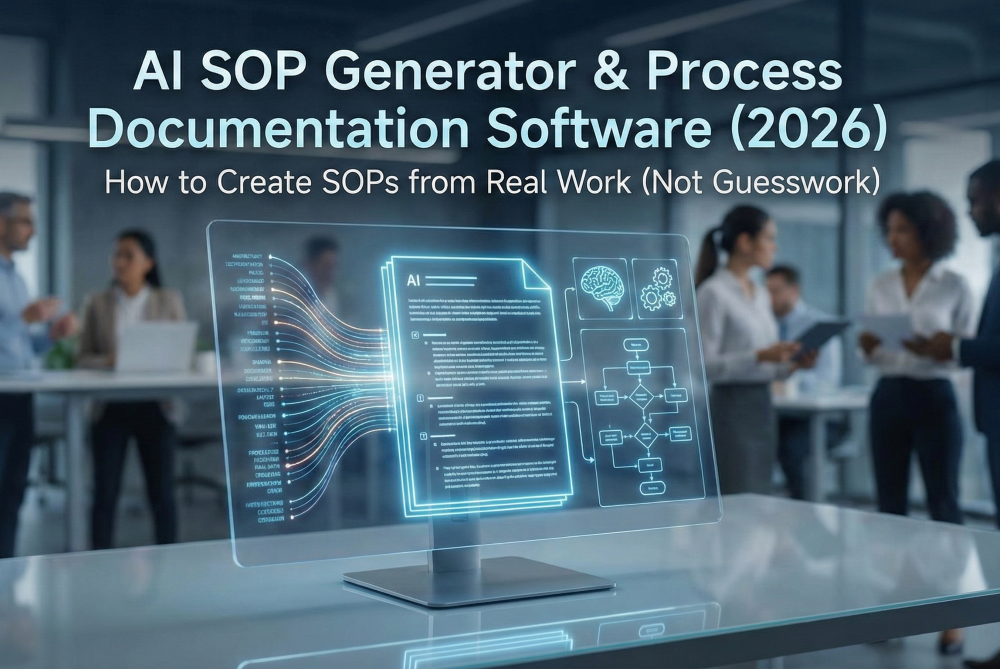
This post breaks down what an AI SOP generator really is, why traditional SOP efforts fail, and a practical playbook to create SOPs from real workflows (not wishful thinking).
If you’ve ever heard “that’s not how we do it,” you’ve experienced SOP drift firsthand.
1) SMEs describe the happy path.
Workshops and interviews are great at capturing the “ideal process,” but most operational pain lives in the exceptions: escalations, rework loops, missing data, last-minute approvals, system limitations, and manual workarounds.
2) Documentation becomes a one-time project.
A team writes SOPs, publishes them, checks the box… and then nothing is in place to maintain them. No owner, no cadence, no change workflow.
3) People don’t use what they don’t trust.
Once a document is wrong, it’s worse than having no document at all. It creates confusion, slows down onboarding, and increases errors.
4) Ownership is unclear.
The process “belongs” to everyone and no one. Process Excellence teams often get stuck playing librarian instead of driving improvement.
When SOPs are inaccurate, it shows up everywhere:
This is where process intelligence and automatic process mapping start to matter—not as buzzwords, but as the foundation for documentation you can actually rely on.
“AI SOP generator” can mean anything from “write me an SOP” to a full process documentation system. Those are wildly different.
A real AI SOP generator helps you:
In other words: process documentation software that doesn’t start with a blank page.
“Real work” is the difference between:
A modern SOP approach acknowledges that reality includes:
Good documentation doesn’t eliminate variation by pretending it doesn’t exist.
It makes variation visible and manageable.
In 2026, the best SOPs aren’t authored. They’re assembled and validated.
Think of it like this:
This is also where business process management software and business process mapping tools are evolving: less about static diagrams, more about continuous clarity.
A good SOP isn’t “long.” It’s unambiguous.
If someone competent follows it, they should be able to execute the process consistently—and know what to do when reality doesn’t match the happy path.
At a minimum, strong SOPs include:
1) Purpose + scope
2) Roles & responsibilities
3) Systems & tools
4) Inputs & outputs
5) Step-by-step procedure
6) Exceptions and variants
7) Controls and compliance (when relevant)
8) Metrics (optional but powerful)
Here’s the practical method that works whether you’re documenting one process or building a full SOP library.
Pick a process that’s either:
Define:
This is basic process mapping discipline, but it’s where most documentation projects fail—they start too broad.
You’re not looking for perfect documents. You’re looking for signals.
Gather:
These inputs are extremely valuable because they reveal intended policy and legacy assumptions—both of which you’ll validate against reality.
This is the key step—and the one most teams skip.
“Reality capture” can include:
The goal is to surface:
This is where process intelligence shines: it’s not just mapping the process, it’s exposing the operational truth behind it.
Instead of producing “just an SOP,” produce a small pack that stays consistent:
This is what makes documentation usable across audiences:
Stop asking SMEs to “write the SOP.”
Ask them to confirm or correct.
A strong validation workflow:
Aim for a 20–30 minute review per SME, not a 2-hour workshop.
This is the moment that separates “documentation” from “living documentation.”
Assign:
Define:
If your SOPs aren’t governed, they will decay. That’s not a people problem—it’s a system problem.
SOPs go stale for predictable reasons:
So you need predictable triggers.
You don’t need bureaucracy. You need clarity.
A simple model:
The goal isn’t to over-maintain. It’s to stop drift before it becomes damage.
If you’re evaluating an AI SOP generator or process documentation software, here’s what matters in practice.
Reality problem: onboarding steps vary by manager, team, and region.
What good documentation captures: core steps + role-based variations + “if this, then that” rules.
Outcome: faster time-to-productivity, fewer “ask someone” dependencies.
Reality problem: approvals and exceptions drive most delays (missing PO, price mismatch, vendor issues).
What good documentation captures: decision points, exception paths, controls, required evidence.
Outcome: fewer escalations, cleaner audits, less rework.
Reality problem: tribal knowledge determines how fast tickets get resolved and escalated.
What good documentation captures: triage routes, handoff criteria, resolution playbooks, escalation rules.
Outcome: higher first-contact resolution, more consistent customer experience.
If you want to start without turning this into a multi-quarter program:
Week 1: Scope + inputs
Week 2: Capture reality
Week 3: Generate + validate
Week 4: Publish + govern
Then repeat by process family (HR ops, finance ops, support ops). You’ll build a documentation system—not a pile of documents.
In 2026, the teams that win don’t document because they “should.”
They document because it becomes a strategic asset: faster onboarding, fewer errors, easier audits, better transformations, and a foundation for automation.
The simplest way to get there is to stop writing SOPs from memory and start generating them from real work—then keep them alive with lightweight governance.
If you want to see how ClearWork approaches automated SOP and process documentation creation, here’s the landing page:
https://www.clearwork.io/ai-sop-generator-process-documentation-software-clearwork
An AI SOP generator is software that creates structured SOPs and process documentation by turning real operational inputs—existing documents, SME knowledge, and observed workflow signals—into step-by-step procedures with roles, handoffs, decision points, and exceptions. The key difference is that SMEs review and correct instead of writing from scratch.
The best approach combines multiple sources of truth: what your documentation says today, what SMEs describe, and what actually happens in practice (including exceptions, workarounds, and handoffs). AI assembles a draft SOP and supporting artifacts (like a process map and narrative), then you validate quickly with the people doing the work so the final output matches reality.
They can be—if the SOP includes controls, approval steps, evidence requirements, and an audit trail of changes, and if you have a clear validation and ownership model. “AI-written from a blank prompt” is rarely audit-ready; “AI-generated + SME-validated + versioned” documentation is what holds up.
At minimum: purpose/scope, roles and responsibilities, systems/tools, inputs/outputs, numbered steps, decision points/approvals, common exceptions, and an owner with a review cadence. If you skip exceptions and ownership, the SOP will drift and stop being used.
Treat SOPs as living documentation. Assign a process owner, set a review cadence, and define simple time bound triggers for review. The goal is lightweight governance that prevents drift before it becomes rework or risk.
In 2026, the winning teams aren’t writing more SOPs—they’re creating trusted, living documentation grounded in how work actually happens, including the exceptions and handoffs that drive most issues. When SOPs are generated from real workflows and validated quickly by SMEs, they get used, stay current, and become the foundation for smoother onboarding, fewer errors, and faster change.
Enjoy our newsletter!