Every source in — and you don't have to book a single meeting.
Clarity ingests everything you already have — documents, SOPs, policies, spreadsheets, process maps, recordings and transcripts — works out what's still missing, then sends targeted asynchronous interviews to the people who can close each gap. Every source feeds the same validated knowledge base.

Everything you already have
SOPs, policies, training guides, process maps, spreadsheets, workshop notes, recordings. Clarity reads all of it and drafts a first baseline. Many teams never use AI interviews at all — they run discovery as they always have and upload what comes out. That works completely.
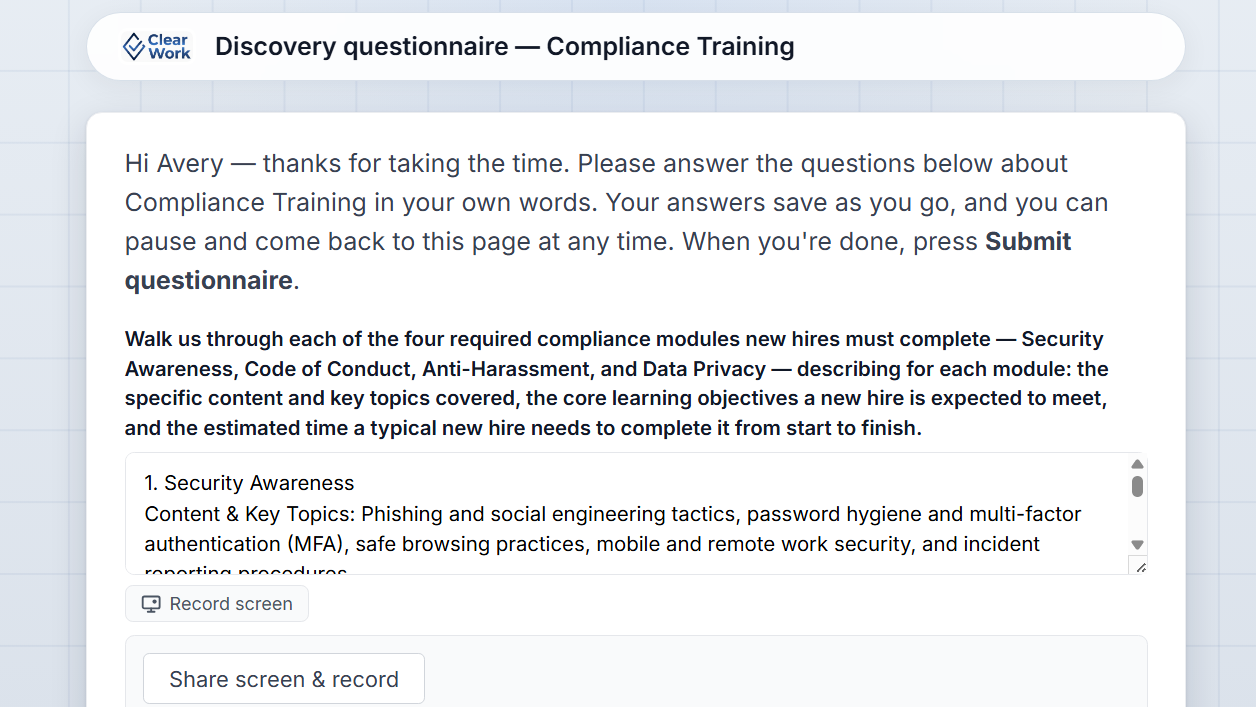
Structured questions & screen walkthroughs
Questions generated from the actual gaps, by role. Plus a narrated day-in-the-life recording — so the person shows you the real workflow instead of describing it from memory.
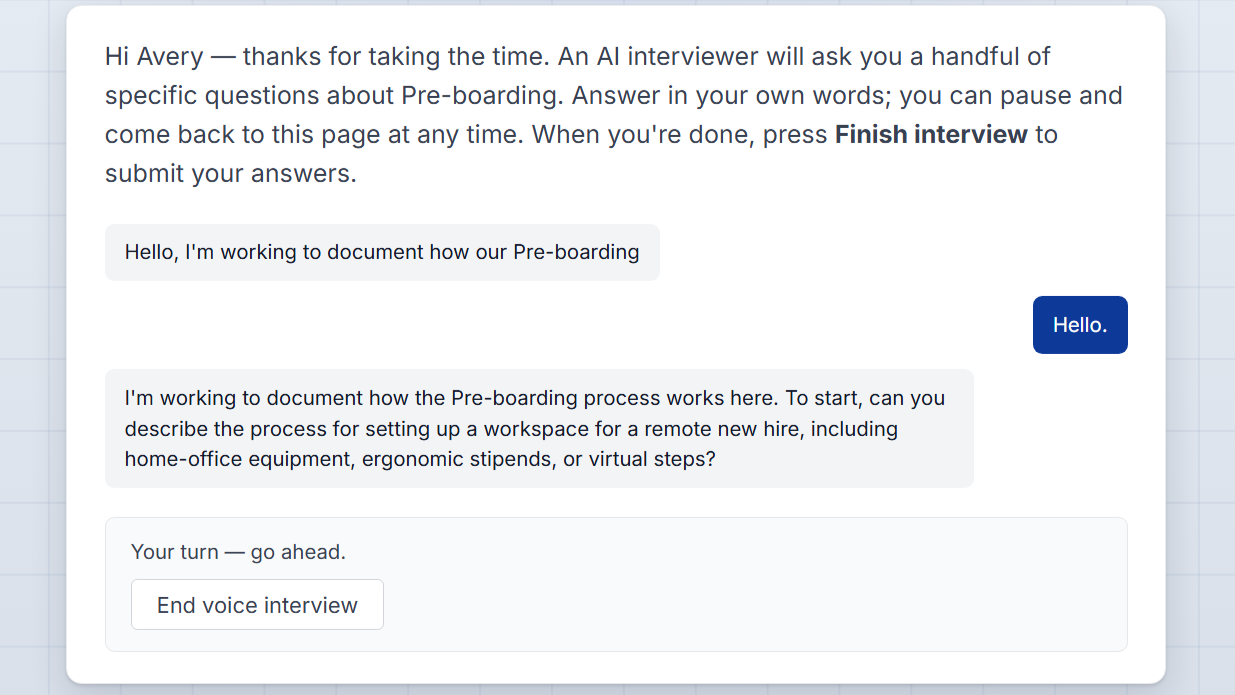
Async voice and chat interviews
A conversation by voice or chat that follows up on ambiguity and asks the second question — whichever the person prefers, on their shift rather than yours.
This augments live discovery, it doesn't replace it. Run your workshops. Async interviews reach the second-shift supervisor, the regional team, and the person who was on leave that week — and whether your organisation takes to them depends on its culture. Some teams use them constantly; others upload transcripts and never touch them. Both produce the same record.
Nothing becomes documentation until a process owner says so.
Clarity brings findings as proposed changes — what it is, where it came from, what it affects. Your owner accepts, edits or rejects. Clarity proposes; your owner approves; ClearWork records.

The hard part isn't writing the SOP. It's the eighteen months after.
Drawing a process map is a solved problem. Keeping it true once the system changes, the team reorganises, and the workaround appears is not.
Every artifact stays connected to the sources behind it. When one of those sources changes — a corrected interview answer, a new policy, an updated procedure — every document built on it flags itself for review, with the change summarised and linked to what caused it.
A person approves it. The version history records who and when. Documentation doesn't go stale quietly, and it doesn't rewrite itself behind your back either.
Source-linked outputs
Every map, SOP and requirement traces to the knowledge that produced it.
Version history
What changed, when, and who reviewed it.
Process owners
Assign owners and reviewers so documents don't become orphaned.
Review cycles
Scheduled re-checks, plus flags whenever a source moves.
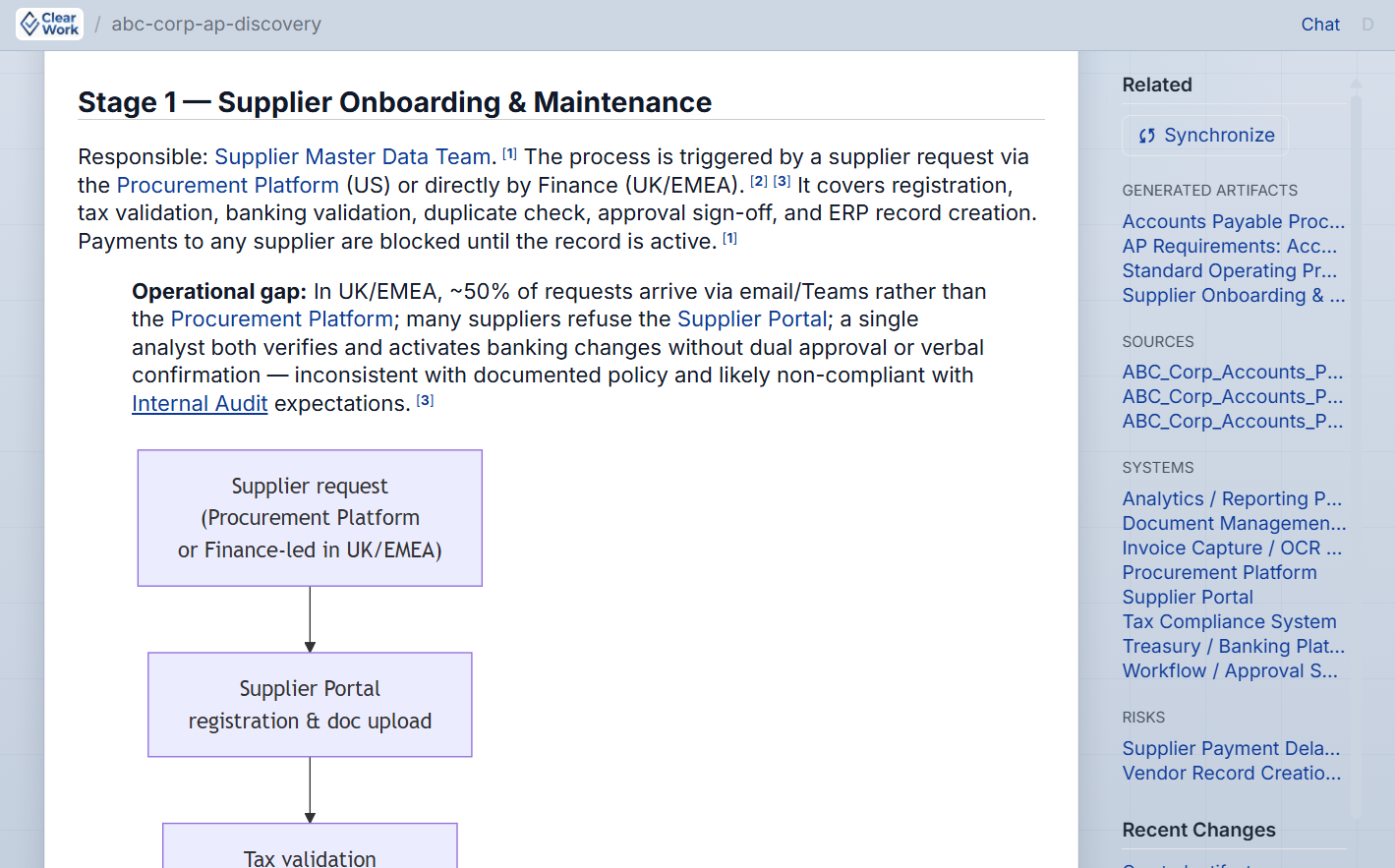
The diagram is a live view of the record — not a drawing you maintain by hand.
Edit it by prompt or by hand, the way you would in any diagramming tool. The difference is underneath: every box stays linked to the interview, document or recording it came from, and when a source changes, the diagram flags itself for review instead of quietly going out of date.
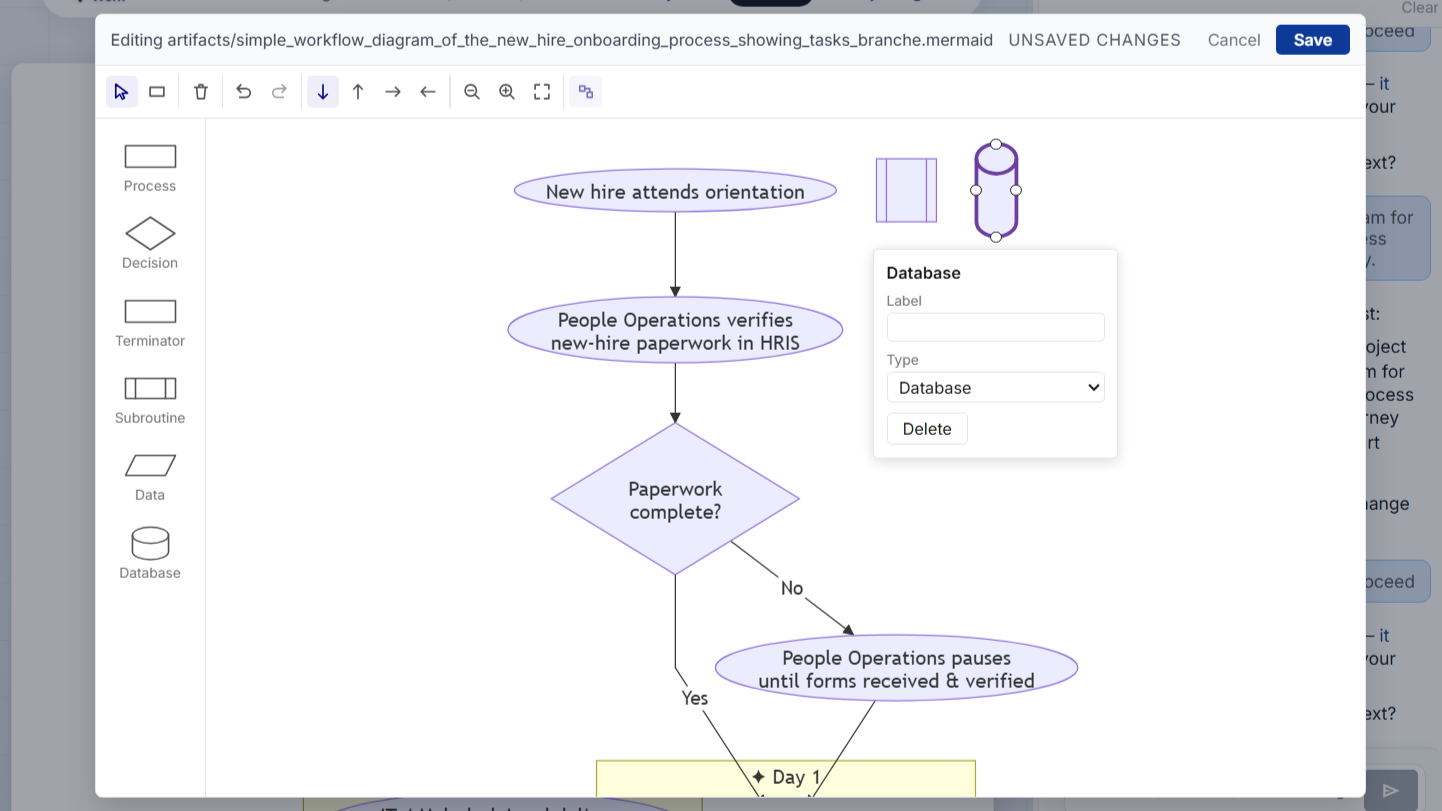
Move a box, split a step, reroute a branch — then click any step to see who said it. The edits stay tied to their sources.
See the editable diagram in action →