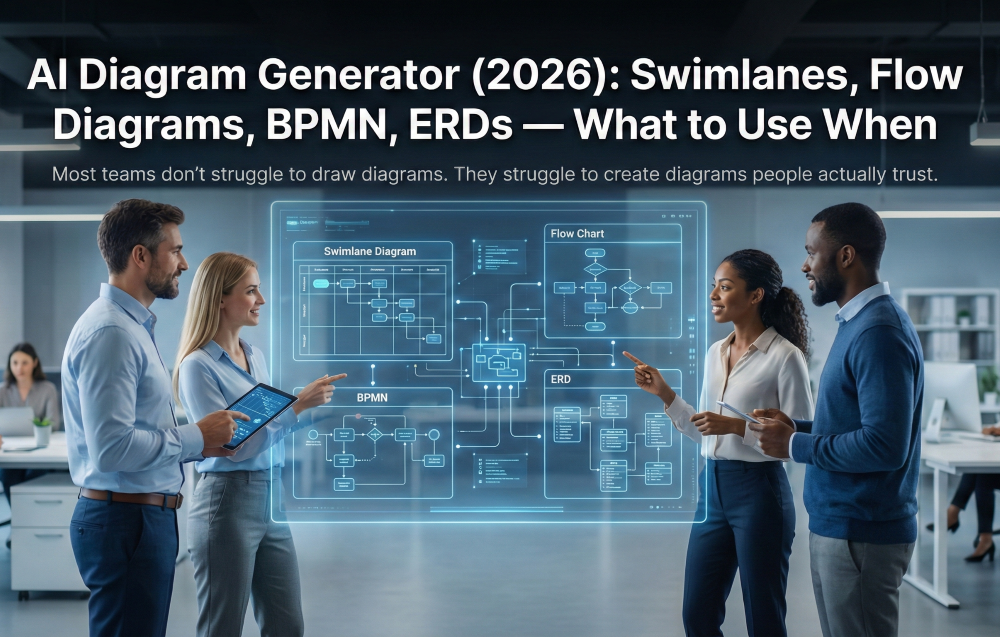
Most teams don’t struggle to draw diagrams.
They struggle to create diagrams people actually trust.
Because the diagram usually reflects how someone thinks work happens—clean, linear, “best practice”—while the real process is full of handoffs, exceptions, approvals, side tools, and workarounds that never make it into the picture. And once a diagram stops matching reality, it turns into shelfware: a nice image for a deck that nobody uses to run the business.
In 2026, process mapping is shifting from “make a diagram” to automatic process mapping powered by process intelligence—diagrams that are generated from real operational inputs, validated quickly, and maintained as living documentation.
This guide will help you choose the right diagram type (swimlane vs flowchart vs BPMN vs ERD), avoid the most common diagram failures, and use an AI diagram generator to produce diagrams that hold up in the real world.
If you’ve ever heard:
…you’ve met diagram drift.
1) They capture the happy path and skip the messy parts.
Exceptions, escalations, rework loops, and “unofficial” steps are where reality lives—and where diagrams usually fail.
2) They don’t show ownership and handoffs clearly.
If accountability is fuzzy, the diagram doesn’t help people execute. It just describes.
3) They’re built for the wrong audience.
A diagram that works for a Process Excellence team may be unusable for frontline teams. A diagram that works for leadership may be too abstract for delivery teams.
4) Nobody owns updates.
No owner, no cadence, no triggers → guaranteed drift.
Diagram drift isn’t just annoying. It causes:
If you want diagrams to drive decisions—and not just decorate docs—you need diagrams grounded in reality and maintained as part of your operating system.
“AI diagram generator” can mean anything from “turn this paragraph into a flowchart” to a full workflow that creates and maintains process diagrams as living documentation.
A modern AI diagram generator helps you:
Think of it as part of process documentation software—not just a drawing tool.
A diagram generated “from real work” doesn’t pretend everything is linear.
It captures:
That’s the difference between a diagram that feels familiar to the people doing the work—and one that gets quietly ignored.
If you pick the wrong diagram type, you can do “great diagramming” and still end up with a useless artifact. Use this framework to match diagram type to outcome.
Best for: cross-functional processes, handoffs, accountability, “who does what”
Why they work: swimlanes make ownership visible. They’re the fastest way to stop confusion about handoffs and responsibilities.
Use a swimlane when:
Common mistake: lanes without decisions and exceptions. A swimlane that only shows the happy path is basically a poster.
Best for: simpler processes, quick training, frontline enablement, “how to do the thing”
Why they work: flowcharts are easy to read and low friction. Great for clarity and adoption.
Use a flowchart when:
Common mistake: oversimplifying complex work into a straight line. If the process has many branches, approvals, and rework loops, a flowchart becomes misleading.
Best for: governance-heavy environments, formal standardization, controls, and precision
Why it works: BPMN is explicit about events, gateways, and flow logic—useful when you need rigor and consistency.
Use BPMN when:
Common mistake: creating BPMN diagrams that only a specialist can read. If nobody outside a Center of Excellence understands it, adoption dies.
Best for: system design, data modeling, implementation alignment
Why they work: ERDs clarify the underlying data structures that processes depend on—especially during integration, migrations, and new system builds.
Use an ERD when:
Common mistake: building ERDs in isolation, without validating how the business actually uses data in the workflow.
The best outcomes come from a simple truth: diagrams are easier to validate than to invent.
So the workflow should be: gather evidence → generate draft → validate quickly → publish with governance.
Define:
Then choose the diagram type (or types) using the decision framework above.
You don’t need perfect materials. You need signals.
Collect:
This is the foundation of process mapping that’s grounded in reality, not blank-page brainstorming.
Ask specifically for:
This is where process intelligence becomes valuable: it helps you document what actually happens, including the invisible work.
Your “diagram pack” should include:
This turns “a diagram” into process documentation software output that teams can use.
Validation works best when SMEs are asked to:
Aim for 20–30 minutes of review, not a 2-hour workshop. The goal is speed + accuracy, not ceremony.
A useful diagram is one someone can use to:
If your diagram can’t survive a quick review with the people doing the work, it’s not ready to publish.
This is where diagrams become more than documentation. They become the bridge from discovery to execution—especially in transformation and implementation work.
Here’s the translation:
When diagrams capture reality early, delivery teams spend less time debating assumptions later—one of the biggest drivers of requirements churn.
A diagram without governance is a future lie. The good news: governance can be lightweight.
Set a cadence:
And define triggers that force review:
This is how you prevent drift without creating a bureaucracy.
If you’re evaluating business process mapping tools or business process management software that claims to “do AI diagrams,” focus on what matters in practice.
Accuracy and trust
Speed
Outputs
Collaboration
Governance
If you want results quickly without turning this into a months-long effort:
Week 1: Scope + inputs
Pick one process, define boundaries and roles, choose diagram type(s), gather existing materials.
Week 2: Capture reality + draft
Collect exceptions, handoffs, approvals, and off-system steps; generate the first diagram pack.
Week 3: Validate + revise
SME review, correct, add key variations; publish v1 with version history.
Week 4: Adopt + govern
Train teams on where the diagram lives, assign the owner, set cadence, and queue the next process.
Repeat by process family (HR ops, finance ops, support ops) to build a library that stays trusted.
An AI diagram generator is software that produces process diagrams—like swimlanes, flowcharts, BPMN, or ERDs—from operational inputs such as existing documentation, SME knowledge, and workflow details. The best tools don’t stop at visuals; they support validation, versioning, and supporting narrative so diagrams remain usable over time.
Use swimlanes for cross-team handoffs and accountability, flowcharts for simple clarity and training, BPMN for precision and governance-heavy workflows, and ERDs when you need to align processes with data and system design. If your main pain is confusion about ownership, start with a swimlane—almost always.
It starts with what already exists (docs, templates, policies), adds structured SME input (especially exceptions and approvals), then generates a draft diagram that SMEs validate quickly. The key is “review and correct,” not “invent from scratch,” so the final diagram reflects how work actually happens.
Use async review: ask SMEs to confirm sequence, ownership, approvals, and common exceptions in a draft diagram pack. You’ll get higher accuracy with 20–30 minutes of review per SME than with hours of group meetings where people default to the happy path.
Assign a process owner, set a review cadence, and define triggers that require updates (system releases, policy changes, KPI drift, repeated escalations, audit findings). Versioning plus lightweight governance turns diagrams into living documentation instead of one-time artifacts.
Want to learn how ClearWork uses AI to generate diagrams rapidly and reliably? Check it out here: https://www.clearwork.io/ai-diagram-generator-swimlanes-flow-diagrams-erds-clearwork
Most teams don’t struggle to draw diagrams—they struggle to draw diagrams people trust. ClearWork helps teams generate swimlanes, flow diagrams, BPMN, and ERDs from real operational inputs, validate them quickly with SMEs, and keep them current as work changes.
Enjoy our newsletter!