Process Documentation Software (2026): How to Choose by What You Document
Avery Brooks
October 23, 2026
Updated: October 23, 2026
Process documentation software helps a team record how its business processes work: the maps that show the flow, the procedures and SOPs that tell people what to do, and the ownership that keeps both current. No single tool covers every layer well, so most teams choose by what they are documenting and where the content will come from.
ClearWork makes one of the tools in this comparison. We've described every tool as fairly as we can from its own site and documentation; if something is out of date, tell us at [email protected].
If you are documenting procedures specifically, our guide to the six types of SOP software goes deeper on that layer. This page takes the wider view operational excellence teams need: process maps, procedures, step-by-step guides, knowledge and the discovery that feeds all of them.
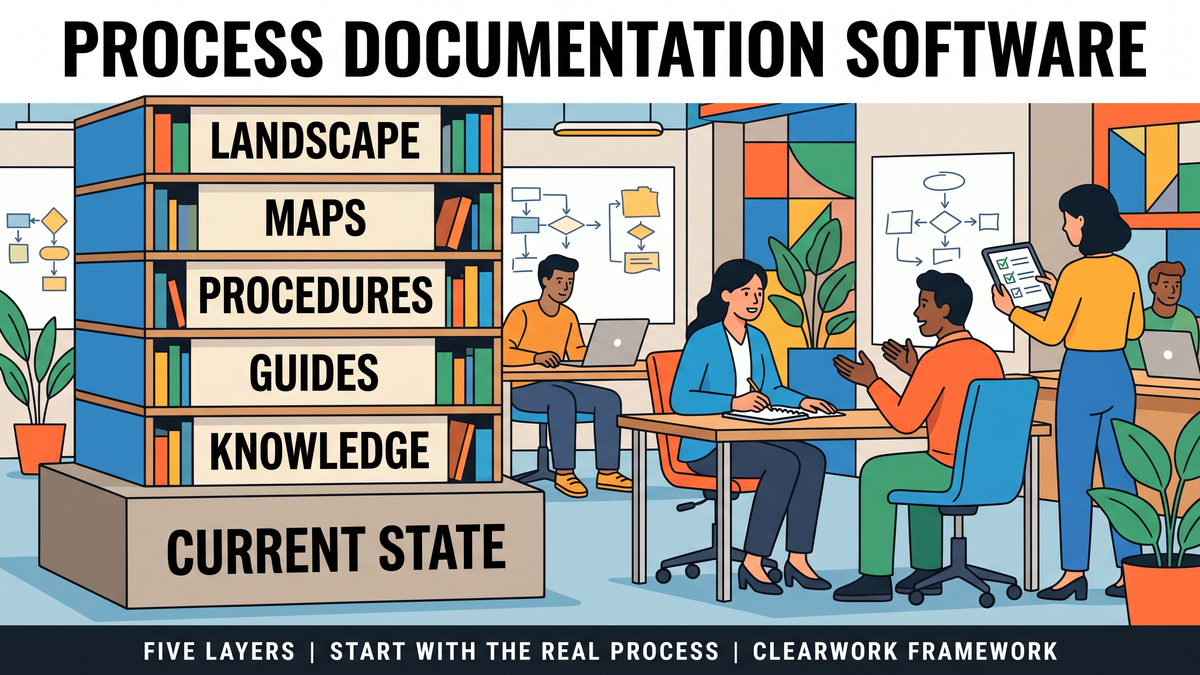
Most "best process documentation software" lists mix tools that do different jobs. It helps to separate the layers first.
Underneath all five sits the question most tools assume is already answered: how does the work actually happen today? Documentation built on an outdated or idealized version of the process is accurate-looking and wrong. Our piece on process documentation best practices for 2026 covers the governance side of keeping each layer true.
We judged each tool on six criteria, using each vendor's own site (opened on October 19, 2026):
Prices are as listed on each vendor's site on October 19, 2026 and may differ by region or at checkout.
What it is: a process management product that turns complex flowcharts and documents into simple maps, with AI process capture that records process steps and an AI Process Generator that drafts a process document from a prompt.
Best for: organizations that want one governed home for process maps and procedures, with a compliance angle.
Limits: a generated or captured process still needs checking against how people really handle exceptions; it is a management system rather than an elicitation method.
Pricing model: not listed on the product page.
What it is: SAP's process modeling platform for business process management, with a central repository and AI capabilities for model design.
Best for: process architecture teams building a BPMN landscape, especially alongside SAP transformation programs.
Limits: modeling skills and governance effort are needed to keep the landscape useful; the content still has to come from somewhere.
Pricing model: demo on request.
What it is: a diagramming tool for flowcharts, swimlanes and process maps, with templates, Lucid AI and Visio import and export.
Best for: teams that need to draw and share process maps quickly, in workshops or projects.
Limits: a diagram is a picture of the process, not a governed record; ownership and review depend on how you use it.
Pricing model: free plan; Individual $9 per month and Team $10 per user per month, billed annually.
What it is: a platform for turning procedures into runnable workflows and checklists, with forms, approvals, conditional logic and role assignments.
Best for: operations teams that want procedures people actually run step by step, with an audit trail.
Limits: it executes the procedure you give it; it does not tell you whether that procedure matches how the work is done.
Pricing model: plans through sales.
What it is: a tool that records a task as you do it and turns it into a step-by-step guide with screenshots, now covering web, mobile and desktop apps on paid plans.
Best for: documenting software tasks for training and onboarding.
Limits: it captures clicks, not decisions, exceptions, offline steps or why a step exists.
Pricing model: free Basic plan; paid plans priced per user.
What it is: Atlassian's AI workspace for docs, knowledge and collaboration, with templates and AI drafting.
Best for: holding and searching process knowledge alongside everything else a team writes.
Limits: it treats a procedure like any other page; structure, ownership and review are up to you. Our piece on process documentation vs knowledge management explains why that distinction matters.
Pricing model: free tier; paid plans per user.
What it is: ClearWork is an AI discovery platform for processes and requirements. Its agent, Clarity, runs async AI interviews (voice or chat, about 20 minutes) with the people who do the work, ingests existing documents, gets findings validated and signed off by process owners, and traces every line to its source. Outputs include process maps, SOPs, requirements, traceability matrices, fit-gap analyses and improvement and AI opportunities by role. See how ClearWork works.
Best for: operational excellence and transformation teams that need to know how work actually runs before documenting, improving or automating it, including the exceptions that never reach the official SOP.
Limits: it is not SOP-management or work-instruction software: it doesn't run approval workflows, training assignments or document control. Outputs export to Word, Visio and draw.io, so the validated content can go into whichever tool manages your documentation.
Pricing model: a 30-day focus-area sprint, then annual contracts; pricing on request.
Before any demo, fill in this sheet. It turns "we need process documentation software" into the two or three layers you actually need to buy for, and the questions that separate the tools.
Two "yes" answers in the discovery rows usually mean the problem isn't the tool. It's that nobody has asked the people doing the work how it's done today. That's the case in our guide to AI SOP generators and documenting from real work: a well-formatted procedure built on guesswork is still guesswork.
Most mid-size and large organizations end up with two or three tools, not one:
The order matters. Teams that buy the home first often fill it with documentation copied from old files. Teams that start with the current state fill it with something people recognize as their own work.
There isn't one best tool, because the category covers different jobs. Pick by layer: a modeling or process management tool for the landscape, a diagramming tool for maps, a checklist platform or SOP system for procedures, a screen recorder for software tasks, and a discovery method for the current state underneath.
Process documentation covers how a process works end to end, including maps, roles and handoffs. SOP software focuses on the procedure layer: writing, approving, distributing and training on standard operating procedures.
AI can draft maps and procedures from prompts, recordings or transcripts. It can't know whether the draft matches how your people actually do the work, so someone has to validate it with the people involved before it becomes the record.
ClearWork produces process documentation, current-state maps, SOPs and requirements, from interviews with the people who do the work, each line traced to source. It is not SOP-management, work-instruction or BPM software; teams export its outputs into those tools.
Give every process an owner and a review date, and trigger a review when a system, policy or team changes. The review should check the documentation against the people doing the work, not just reread the document.
Start with a validated current state, then pick the documentation tools that keep it current.
ClearWork gives transformation and operational excellence teams a signed-off current state to document from: Clarity interviews the people who do the work, process owners validate the findings, and every line is traced to its source. Book a demo to see it on one of your processes.
Choose process documentation software by layer: maps, procedures, screen guides, knowledge and discovery. Seven tools compared, plus a requirements sheet.