ERP Requirements Gathering: Why Workshops Miss Edge Cases (Checklist + Traceability Matrix Template)
Avery Brooks
October 28, 2026
Updated: October 26, 2026
ERP requirements gathering is the work of finding out what a new or consolidated ERP must do, from the people who run each process today, and recording each requirement with its source, owner and priority. It works when it hears from every role, not only workshop attendees, and traces every requirement to who said it.
ERP requirements gathering turns how the business works into a list of things the system must support: transactions, approvals, controls, reports, integrations and data. It happens before selection, before configuration, or both, and it feeds the fit-gap analysis that decides what the standard system covers and what needs configuration, extension or a process change.
Most guides treat it as a question list. Questions help, but the harder problem is who answers them. An ERP touches finance, procurement, inventory, sales, service and reporting, and in each area the people who know the exceptions are rarely the people invited to the requirements workshop.
Good ERP requirements share four traits:
Workshops are the default because they feel efficient: put the process leads in a room, walk the process, capture what the system needs. The trouble is who is in the room and what a room rewards.
Workshop attendees are usually managers and senior users. They describe the process as designed. The exceptions live with the people doing the work: the AP specialist who parks invoices without a purchase order in a spreadsheet, the warehouse lead who books stock to a holding location the system doesn't know about, the planner who overrides the forecast every Monday. A group setting also favors the loudest voice and the common case, so rare-but-expensive variants rarely get airtime.
Those gaps surface later, during build or testing, when they cost the most to fix. The pattern is common across projects: in PMI's Pulse of the Profession (2014), 37% of organizations reported inaccurate requirements as the primary reason their projects failed. We covered the wider current-state gap in ERP and CRM implementation: the current state blind spot.
Hear from every role that touches the processes in scope, at each site, plus the people on either side of each handoff. The table shows what each role typically knows that others don't.
Managers explain how the process should run. Frontline staff explain how it does run. Both are requirements sources, and conflicts between them are findings that need a decision before design.
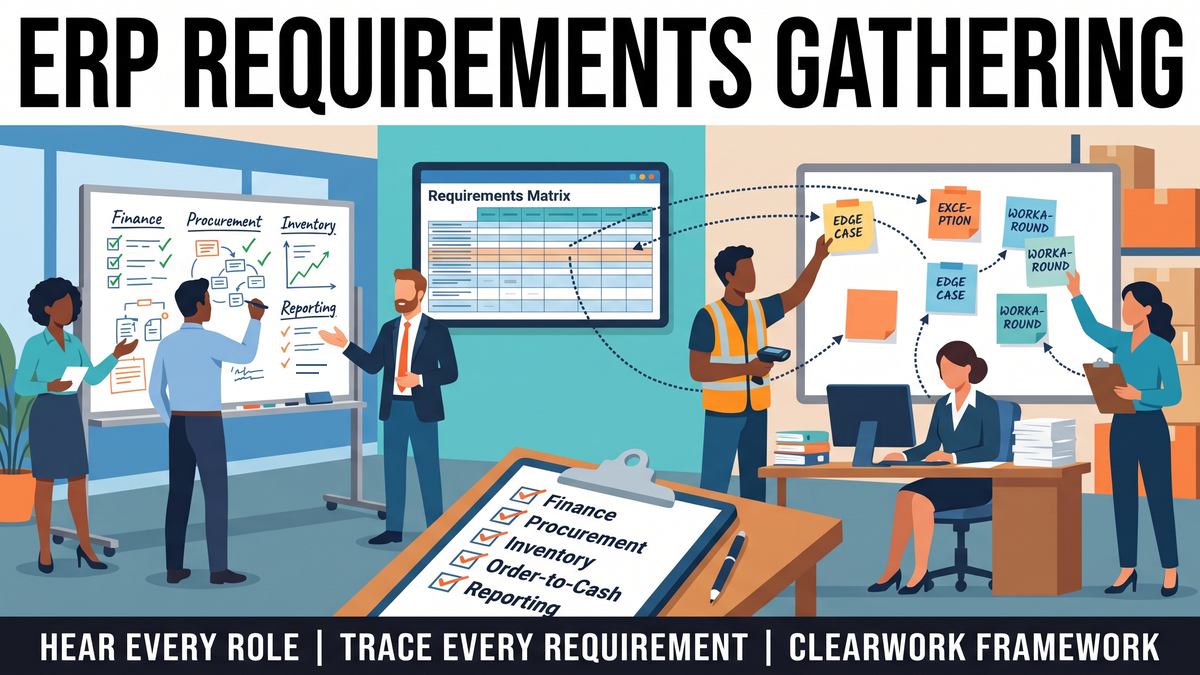
Use this as a starting list for each area in scope. Each item should become one or more requirements, each with a source and owner.
Finance
Procurement and payables
Inventory and operations
Order-to-cash
Reporting and data
Requirements are only as good as the current state they come from. Start with a validated current state for each process in scope: steps, roles, systems, exceptions, volumes and owners, confirmed by the people who described them and signed off by the process owner. Then derive requirements from it, step by step, so each requirement points back to the work it supports.
The fit-gap analysis compares each requirement with what the candidate or chosen ERP does as standard. Each requirement lands in one of four outcomes: fits as standard, fits with configuration, needs an extension or integration, or is a gap the business resolves by changing the process. That last option matters. Some requirements describe a workaround the business would happily drop, and the current state shows which ones.
Record the fit-gap decision on the requirement itself, with who made it and why. That turns a one-off spreadsheet into an audit trail the program can use during design, testing and change control.
A requirements traceability matrix (RTM) links each requirement to its source, the process step it supports, the fit-gap decision, the design element that delivers it and the test that proves it. Use one row per requirement.
The example column is illustrative, not taken from a real project. The "Source" and "Business owner and sign-off" columns are the ones most templates skip, and they are what let you answer "who asked for this?" months later.
Requirements don't stop at go-live. Processes keep changing: a new site, an acquired business, a policy change, a module switched on in phase two. If the requirements and current state are left in a project folder, the next change starts from scratch.
Treat the signed-off requirements and RTM as a living baseline. Name an owner for each process. When something changes, re-validate the affected steps with the people who do the work, update the requirement, and record what changed and why. Run the same discovery on each new site or acquired business before it moves onto the platform, so consolidation decisions rest on how that business really runs.
ClearWork is an AI discovery platform for processes and requirements. Its agent, Clarity, runs async AI interviews, by voice or chat and about 20 minutes each, with everyone who does the work in the processes in scope, and ingests the documents you already have. Findings are validated by participants and signed off by process owners, and every requirement traces back to its source.
Outputs include process maps, SOPs, requirements, traceability matrices, fit-gap, and improvement and AI opportunities by role. Discovery typically takes one to four weeks, depending on scope and complexity, and most teams start with a 30-day focus-area sprint. See how the interviews, validation and outputs work, or how transformation teams use it before a system change. All data is hosted in the US, encrypted in transit and at rest, and no data is used to train AI models.
It depends on the number of processes, sites and roles in scope. Workshop-led programs are paced by calendars and often run for weeks. With interviews running in parallel and validation built in, discovery typically takes one to four weeks, depending on scope and complexity.
The business process owner for each area signs off its requirements and decides conflicts, not the implementation partner or IT alone. The program lead owns the overall baseline and change control.
At minimum: requirement ID, the requirement itself, the process step and source it came from, priority, fit-gap result, owner and sign-off, design reference and test case. Add a status and change history so the matrix stays useful after go-live.
Capture both versions, with sources, and flag the difference as a finding. The process owner then decides whether to standardize, keep a local variant for a real business reason, or change one site's process. Make the decision before design so the system isn't built around an accident.
Both. Before selection, gather enough to compare vendors on your critical processes and exceptions. After selection, go deeper on each area to drive configuration, fit-gap decisions and testing.
Requirements describe what the business needs. A fit-gap analysis compares each requirement with what the ERP does as standard and records how each gap will be closed.
Want to see ERP requirements gathered from every role and traced to source? Book a demo.
ERP requirements gathering that catches edge cases before the build: who to hear from, a checklist by area, fit-gap and a traceability matrix template.