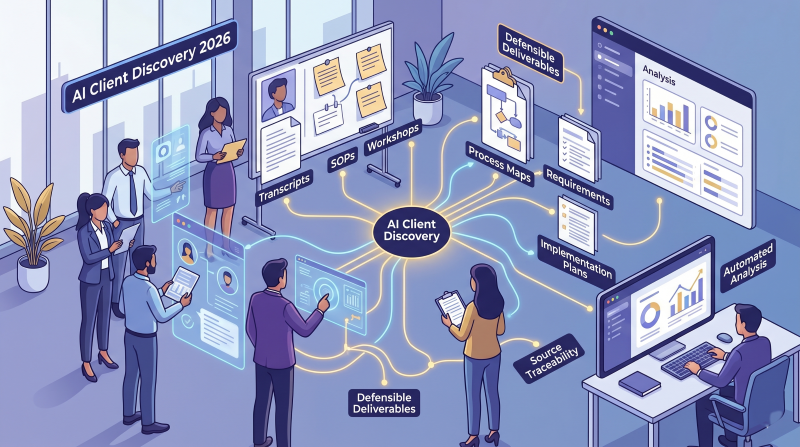
Best AI Client Discovery Software for Consulting Firms in 2026
Avery Brooks
June 1, 2026
Client discovery is where a consulting engagement is won or lost.
It is where the firm learns what the client actually needs, what is broken underneath the surface, which stakeholders matter, what the current state looks like, where the risks are hiding, and what scope can realistically be delivered.
But for many consulting firms, discovery still runs on a familiar mix of live workshops, scattered notes, meeting transcripts, spreadsheets, intake forms, whiteboards, and partner memory.
That works until it does not.
It breaks when the project involves too many stakeholders. It breaks when the client’s process varies across teams, locations, or business units. It breaks when consultants have to turn messy interview notes into requirements, process maps, SOPs, user stories, risks, and an implementation plan. And it really breaks when a client later asks, “Where did that recommendation come from?”
That is why AI client discovery software is becoming an important category for consulting firms.
Quick answer: The best AI client discovery software for consulting firms depends on the bottleneck. Meeting assistants help with call notes, form tools help with intake, whiteboards help with workshops, client portals help with onboarding, and requirements tools help with vendor selection. ClearWork is best suited for consulting firms that need discovery to become source-backed deliverables such as process maps, requirements, SOPs, risks, user stories, and implementation handoff materials.
The goal is not to replace consultant judgment. The goal is to automate the repetitive parts of discovery — capture, follow-up, synthesis, gap detection, and first-draft deliverables — so consultants can spend more time advising the client and less time chasing information.
AI client discovery software helps consulting firms capture, organize, and synthesize client knowledge during the discovery phase of an engagement.
That knowledge can come from stakeholder interviews, client documents, meeting transcripts, workshop notes, process documentation, intake forms, recordings, and prior project materials. The best tools then help turn that information into structured outputs such as process maps, requirements, risks, SOPs, user stories, roadmaps, executive summaries, and implementation handoff materials.
That is different from a simple AI meeting assistant or form builder.
A meeting assistant can summarize a call. A form builder can collect responses. A whiteboard can help facilitate a workshop. A client portal can organize files and communication.
Those tools are useful, but they each solve one part of discovery.
AI client discovery software is broader. It helps consulting teams move from scattered client inputs to a structured, defensible discovery foundation.
For firms doing transformation, implementation, operational improvement, ERP/CRM planning, or process redesign work, that distinction matters. The output of discovery is not just a summary. It is the foundation for scope, requirements, design, implementation, documentation, change management, and client alignment.
Discovery is one of the most expensive and important parts of consulting delivery.
It requires consultants to understand how the client operates, what they want to change, who needs to be involved, where the current process breaks down, what exceptions exist, and what the future state needs to support.
For small and mid-sized consulting firms, this creates a real capacity problem.
The same people responsible for selling, managing, and delivering the engagement are often also responsible for running interviews, documenting findings, building process maps, writing requirements, creating status updates, and preparing executive summaries.
That creates three problems.
First, discovery quality depends heavily on the individual consultant. A senior partner or experienced delivery lead may know exactly what to ask, how to probe, and how to connect the dots. A newer consultant may not.
Second, the information collected during discovery often becomes fragmented. Notes live in one place. Client documents live somewhere else. Whiteboards become screenshots. Requirements get copied into spreadsheets. Risks appear in a deck. The source behind each output becomes harder to trace over time.
Third, the firm loses margin to manual synthesis. The team may spend hours or days turning raw discovery notes into client-ready artifacts. That work is necessary, but much of it is repetitive.
AI discovery tools for consultants are valuable because they help standardize the process. They make it easier to gather input, structure information, identify gaps, and produce useful outputs without starting from a blank page every time.
This is the same reason many firms are now looking more seriously at [automated discovery for consulting firms]([LINK: Automated Discovery for Consulting article]) instead of relying only on workshops, transcripts, and manual documentation.
Most consulting firms are not bad at discovery. The problem is that discovery has become too complex to manage manually.
A modern consulting engagement may involve multiple business units, systems, regions, process owners, executives, frontline users, IT teams, finance stakeholders, and third-party partners. Each group has a slightly different view of how work happens.
When discovery relies only on live sessions and manual notes, several issues show up.
Workshops are valuable. They create alignment, surface disagreements, and give consultants a chance to read the room.
But workshops also have limits.
They tend to capture the perspective of the people who were invited, available, and willing to speak up. They often emphasize the official version of the process instead of the messy operating reality. They can miss exceptions, workarounds, handoffs, regional variations, approval paths, and edge cases.
In many consulting projects, the most important details come from people who are not in the main workshop.
That does not mean workshops should go away. It means workshops should be supported by better discovery coverage before and after the live session.
One-on-one interviews are often where the best discovery happens. They give stakeholders more space to explain how things really work.
The issue is time.
A small consulting team cannot always interview every stakeholder deeply. Scheduling alone can slow the project down. Then the team still has to transcribe, summarize, compare, reconcile, and turn those conversations into something useful.
That manual synthesis is where discovery quality often becomes inconsistent.
This is one reason [AI-led stakeholder interviews]([LINK: AI-Led Stakeholder Interviews article]) are becoming more relevant. They give consulting teams a way to collect more complete input without forcing every discovery touchpoint into a live calendar slot.
Consultants usually collect discovery information in many places:
Then the team has to turn that scattered information into polished deliverables.
This is where context gets lost. A requirement may be copied from a note into a spreadsheet, then summarized in a deck, then translated into a user story weeks later. By that point, it can be hard to know who said it, what evidence supports it, whether it was validated, and whether it reflects the full current state.
This is also why discovery and delivery should not be treated as separate worlds. A strong discovery process should make it easier to move from [discovery to consulting deliverables]([LINK: From Discovery to Deliverables article]) without rebuilding context from scratch.
Scope creep is usually treated as a delivery problem.
But many scope issues start earlier.
A missing stakeholder, undocumented exception, unclear decision rule, hidden workaround, or misunderstood handoff can become a change request later. The implementation team discovers something that should have been captured during discovery, and suddenly the firm is absorbing rework or negotiating scope.
Better discovery does not eliminate every change. But it gives the consulting team a stronger foundation to define scope, explain tradeoffs, and defend recommendations.
There is no single tool category that solves every discovery problem.
The right client discovery software for consultants depends on what part of discovery the firm is trying to improve.
Some firms need better meeting notes. Some need better intake. Some need better workshop facilitation. Some need a client portal. Some need requirements management. Others need a more complete discovery automation platform that turns client knowledge into consulting deliverables.
Here are the main categories to understand.
AI meeting assistants are often the first discovery-related tool consulting firms adopt because the pain is obvious: nobody wants to take notes during a discovery call.
Tools in this category include Fathom, Fireflies.ai, Otter.ai, and other meeting transcription or conversation intelligence platforms.
For consulting firms, these tools are useful when discovery is call-heavy.
They help teams:
But meeting assistants are not the same as consulting discovery software.
They capture what happened in a call. They do not necessarily know which stakeholders are missing, which process areas have not been covered, which requirements conflict, or how the conversation should translate into a process map, BRD, RTM, SOP, user story, or implementation roadmap.
A meeting assistant is a strong capture tool. It is not usually the source of truth for the engagement.
Use this category if your main problem is:
“We need better notes from discovery calls.”
Do not stop here if your real problem is:
“We need to turn discovery into structured, defensible deliverables.”
The next common category is client intake.
Tools like Typeform, Fillout, Tally, Google Forms, and Microsoft Forms help firms collect structured information before the first meeting.
For consulting firms, forms are helpful for basic discovery inputs:
Forms can make a small firm look more organized. They reduce repetitive questions. They help standardize intake across engagements.
But forms have an obvious limitation: they mostly collect what you already knew to ask.
Even with branching logic, forms rarely behave like a skilled consultant. They do not deeply probe ambiguous answers. They do not always detect contradictions across stakeholders. They do not automatically identify missing process steps, unclear ownership, unspoken risks, or downstream delivery implications.
Forms are useful for intake. They are not a replacement for discovery.
Use this category if your main problem is:
“We need a cleaner way to collect basic client information before calls.”
Do not stop here if your real problem is:
“We need adaptive discovery, follow-up questions, synthesis, and deliverables.”
Consultants love whiteboards for good reason.
Tools like Miro, Mural, FigJam, and Lucid help teams facilitate workshops, map workflows, visualize journeys, brainstorm ideas, and align stakeholders.
Whiteboards are especially useful when discovery depends on live facilitation.
They help teams:
But whiteboards also have limits.
A workshop board is often a visual artifact, not a validated knowledge base. It may show the process the group agreed on in the room, but not the evidence behind each step. It may not include the exceptions raised in separate interviews. It may not update when later discovery changes the picture. It may not connect directly to requirements, risks, SOPs, user stories, or implementation tasks.
The whiteboard helps the conversation happen. It does not always preserve the full discovery context behind the conversation.
Use this category if your main problem is:
“We need better live workshops and visual collaboration.”
Do not stop here if your real problem is:
“We need a living discovery foundation that stays connected to evidence and deliverables.”
Client portals help consulting firms create a more polished client experience.
Tools like Assembly/Copilot, ManyRequests, SuiteDash, Kitchen.co, and Notion-based portals can centralize messages, documents, tasks, onboarding checklists, payments, and client communication.
This matters because discovery can feel chaotic to clients.
A portal gives the client one place to:
For a small consulting firm, this can create a much more professional experience.
But a portal is still mostly a container. It organizes collaboration, but it does not automatically understand the client’s operating model. It does not turn scattered discovery inputs into process maps, requirements, risks, SOPs, and implementation handoff materials.
A client portal can improve the front door of discovery. It does not necessarily improve the intelligence created from discovery.
Use this category if your main problem is:
“Our client onboarding and communication feel scattered.”
Do not stop here if your real problem is:
“We need the information inside the portal to become structured consulting outputs.”
Some consulting discovery is centered on software selection.
In those cases, requirements gathering and vendor evaluation tools can be valuable. These tools help teams collect requirements, prioritize needs, score vendors, and manage RFP workflows.
This category is useful when the engagement is focused on:
For consultants helping clients choose ERP, CRM, HRIS, finance, procurement, or other enterprise software, this can be a strong fit.
But requirements and vendor selection are still only part of the broader discovery problem.
A client may need more than a requirements matrix. They may need to understand the current-state process, operating model, handoffs, exceptions, risks, documentation gaps, governance issues, training needs, and implementation impact.
Use this category if your main problem is:
“We need to gather requirements and compare vendors.”
Do not stop here if your real problem is:
“We need to understand how the client actually works and carry that knowledge into delivery.”
AI discovery automation platforms are built for the broader consulting discovery workflow.
This is where ClearWork fits.
ClearWork is designed to help consulting firms capture client knowledge from documents, recordings, meetings, and AI-led stakeholder interviews, then generate source-backed deliverables such as process maps, requirements documents, BRDs, RTMs, SOPs, user stories, and roadmaps.
The difference is that ClearWork is not just helping consultants collect information.
It is helping them create the structured knowledge layer behind the engagement.
That matters because consulting discovery does not end when the notes are written. Discovery has to become scope, requirements, maps, risks, decisions, recommendations, implementation planning, and client alignment.
ClearWork is best suited for firms that need to:
Use this category if your main problem is:
“We need discovery to become defensible consulting deliverables.”
The best AI client discovery platform depends on how your firm sells and delivers discovery.
A strategy firm, ERP implementation partner, operations improvement firm, technology advisory team, and boutique transformation practice may all run discovery differently. But the evaluation criteria are similar.
A good discovery tool should help you reach more of the organization without requiring every input to happen in a live meeting.
That matters because missed stakeholders often become missed requirements.
Look for software that can gather input from executives, process owners, frontline employees, IT teams, finance leaders, regional managers, and other subject matter experts in a structured way.
Static forms are useful, but discovery often requires follow-up.
If a stakeholder says, “We usually bypass that approval when the request is urgent,” the next question should not be generic. It should probe the exception:
Adaptive questioning helps consulting teams uncover the nuance that standard questionnaires miss.
Client knowledge rarely lives in one place.
Look for tools that can bring together:
The more fragmented the inputs, the more important synthesis becomes.
Good discovery software should help identify what is missing or inconsistent.
For example:
That contradiction matters. It may affect requirements, controls, training, system design, change management, and go-live readiness.
The software should help surface these issues early, while the team can still validate them.
This is one of the most important criteria for consulting firms.
When a client challenges a requirement, process step, recommendation, or risk, the consulting team should be able to show where it came from.
Was it stated by a stakeholder? Found in a document? Mentioned in a meeting? Validated by multiple teams? Flagged as an unresolved assumption?
Source traceability makes deliverables easier to defend. It also improves trust inside the consulting team because people can review the evidence instead of relying on memory.
Discovery creates value when it turns into something the client can use.
Look for software that can help generate:
The key is not just generating documents. The key is generating outputs from the same validated discovery foundation.
AI should not publish consulting deliverables without human judgment.
The consulting team still needs to review, edit, validate, and decide what is ready for the client. The software should make consultants faster and more consistent, not remove their expertise from the process.
Small consulting firms often rely on a few experienced people to run discovery well.
That can work, but it is hard to scale.
A good AI client discovery platform should help standardize the firm’s methodology so discovery quality does not depend entirely on which partner, manager, or analyst happens to run the engagement.
The best tool depends on what you mean by “discovery.”
Here is the practical breakdown.
Use a meeting assistant if your biggest problem is capturing and summarizing live calls.
This is useful when your discovery process is simple, stakeholder count is low, and the main output is a summary or follow-up list.
Best fit:
Not enough when:
Use Typeform, Fillout, Tally, or similar tools if your main need is structured intake before the first call.
Best fit:
Not enough when:
Use Miro, Mural, Lucid, or FigJam if the core discovery motion is a live, collaborative workshop.
Best fit:
Not enough when:
For a broader look at process discovery and process mapping categories, see our guide to [process discovery tools]([LINK: Best Process Discovery Tools for 2026 article]).
Use Assembly/Copilot, ManyRequests, or similar platforms if the client-facing experience is the main issue.
Best fit:
Not enough when:
Use Olive or a requirements/vendor selection platform when the engagement is centered on selecting software.
Best fit:
Not enough when:
Use ClearWork when discovery needs to become structured, source-backed consulting output.
ClearWork is strongest when the engagement involves complex stakeholder input, process understanding, transformation planning, implementation readiness, or repeatable discovery across multiple clients.
Best fit:
ClearWork is built for consulting firms that need discovery to become more than meeting notes.
It helps teams capture scattered client knowledge through AI-led stakeholder interviews, client materials, recordings, meetings, and documents. Then it turns that knowledge into evidence-backed process maps, requirements, SOPs, user stories, and delivery-ready outputs.
That makes ClearWork different from the point tools above.
It is not just a meeting assistant.
It is not just a form builder.
It is not just a whiteboard.
It is not just a client portal.
It is not just a requirements spreadsheet.
It is designed to help consulting teams build the discovery foundation behind the engagement.
For a deeper look at how this works, see ClearWork Automated Discovery.
Discovery is stronger when it includes more than the loudest voices in the room.
ClearWork helps consultants gather input from documents, meetings, recordings, and asynchronous AI-led stakeholder interviews. That allows firms to collect more context without scheduling every conversation live.
This is especially useful when stakeholders are busy, distributed, or spread across functions.
Raw notes are not enough.
ClearWork organizes discovery around the things consulting teams actually need to understand:
That structure matters because it gives the consulting team a single place to work from instead of rebuilding context every time they create a new deliverable.
Consulting teams spend a lot of time converting discovery into client-ready outputs.
ClearWork helps generate deliverables from the same validated discovery base, including process maps, requirements, BRDs, RTMs, SOPs, user stories, and roadmaps.
That reduces manual rewriting and helps keep outputs aligned.
Instead of creating a process map in one place, a requirements document in another, and a roadmap somewhere else, the firm can generate each output from the same underlying knowledge.
This is one of the most important consulting use cases.
When every line of a deliverable can be traced back to the source, consultants can defend their recommendations with more confidence.
That matters when:
Defensible discovery is not about adding bureaucracy. It is about protecting trust.
Discovery has a direct impact on margin.
Manual discovery takes time. Missed requirements create rework. Weak handoffs slow delivery. Inconsistent methodology makes quality hard to scale.
ClearWork helps firms reduce manual synthesis, improve stakeholder coverage, standardize discovery, and generate outputs faster. The result is not just speed. It is better leverage across the engagement.
A practical AI-enabled discovery workflow could look like this.
The consulting team starts by defining the client, project type, business areas, systems, stakeholders, known issues, timeline, and expected outputs.
This gives the discovery process a clear frame.
The team adds available materials such as:
This prevents the team from asking questions the client has already answered somewhere else.
The team identifies what needs to be learned, which stakeholders should contribute, which process areas need coverage, and where the current knowledge gaps are.
This helps discovery become intentional instead of purely meeting-driven.
Instead of scheduling every input live, the team can use AI-led interviews to gather stakeholder responses asynchronously.
This gives busy SMEs a way to contribute on their own time. It also helps the consulting team collect more consistent inputs across people, functions, and regions.
Live meetings still matter.
But they can be used for higher-value work:
This is where consultants should spend their time.
Once the inputs are collected, the team can identify:
This is where AI can reduce manual effort while still keeping consultants in control.
From the same discovery foundation, the team can produce first drafts of:
The consultant reviews, edits, validates, and shapes the output before it becomes client-facing.
The best discovery does not end with a deck.
It becomes the foundation for design, implementation, testing, training, change management, and continuous improvement.
That continuity is where firms can reduce rework and improve delivery quality.
Not every firm needs a full discovery automation platform right away.
A point tool may be enough if the discovery process is simple.
Use a meeting assistant if you only need better notes.
Use a form builder if you only need basic intake.
Use a whiteboard if you only need live workshop facilitation.
Use a client portal if you only need better onboarding and file collection.
Use a requirements tool if you only need to manage a vendor selection process.
But consider AI discovery automation when:
The more complex the engagement, the less effective disconnected tools become.
Choosing client discovery tools for consultants is not just about finding the most popular AI product. It is about understanding which part of the discovery workflow actually needs to improve.
Here are the most common mistakes.
Meeting notes are helpful, but they are not the same as discovery intelligence.
If your team still has to manually convert transcripts into requirements, maps, SOPs, risks, and roadmaps, the biggest bottleneck remains.
Forms can collect information, but they often miss nuance.
A stakeholder may give an answer that creates three follow-up questions. Static intake tools are not always designed to handle that level of discovery depth.
A whiteboard can be an excellent facilitation artifact.
But unless it is connected to interviews, documents, decisions, requirements, and evidence, it can become just another static artifact.
This is one of the biggest sources of consulting rework.
Discovery lives in notes. Requirements live in spreadsheets. Process maps live in diagrams. Roadmaps live in slides. User stories live in another system.
When those outputs are disconnected, context gets lost.
When a client asks where something came from, “It was in our notes” is not always enough.
A stronger discovery process preserves the evidence behind the output.
A tool that works for one partner’s personal workflow may not standardize discovery across the firm.
If the goal is repeatability, the software should support a methodology that others can follow.
The easiest way to choose is to start with the bottleneck.
Ask which issue is hurting your firm most:
Different problems point to different tools.
If the problem is note capture, start with a meeting assistant.
If the problem is intake, start with forms.
If the problem is workshop facilitation, use a whiteboard.
If the problem is onboarding, use a portal.
If the problem is vendor selection, use a requirements/RFP platform.
If the problem is turning client knowledge into deliverables, use AI discovery automation.
This is the most important distinction.
Capture tools collect information.
Collaboration tools organize interaction.
Synthesis tools turn information into usable project knowledge.
Discovery automation platforms connect all three.
Do not evaluate discovery software in the abstract.
Pick one real engagement and test whether the tool improves the work.
Measure:
Speed matters, but quality matters more.
The best discovery software should help the consulting team produce better outputs faster. A tool that saves time but creates shallow deliverables will not help the firm in the long run.
If discovery means recording calls, use an AI meeting assistant.
If discovery means collecting pre-call information, use a form builder.
If discovery means facilitating live workshops, use a whiteboard.
If discovery means organizing client communication, use a client portal.
If discovery means managing software selection, use a requirements or RFP platform.
But if discovery means turning scattered client knowledge into defensible consulting deliverables, then you need a broader AI client discovery platform.
That is where ClearWork for consulting firms fits.
ClearWork helps consulting firms capture client knowledge, structure it, and generate source-backed outputs that support scoping, transformation planning, requirements, documentation, and delivery.
For consulting firms, that is the real opportunity: not just faster discovery, but better discovery that holds up when the work moves from conversation to execution.
AI client discovery software helps consulting firms capture, organize, and synthesize client knowledge during the discovery phase of an engagement. It can gather information from interviews, documents, meeting transcripts, forms, workshops, and project materials, then turn that information into structured outputs like requirements, process maps, SOPs, risks, roadmaps, and implementation handoff materials.
The best tool depends on the consulting firm’s discovery bottleneck. Meeting assistants are best for call notes, forms are best for intake, whiteboards are best for workshops, client portals are best for onboarding, and requirements tools are best for vendor selection. ClearWork is best suited for consulting firms that need discovery to become source-backed process maps, requirements, SOPs, risks, user stories, and delivery-ready documentation.
No. AI should not replace consultant judgment, facilitation, or advisory work. The better use of AI is to automate preparation, stakeholder input capture, follow-up questions, synthesis, gap detection, and first-draft deliverables so consultants can spend more time interpreting findings and guiding the client.
An AI meeting assistant records, transcribes, and summarizes conversations. AI client discovery software is broader: it helps structure discovery across stakeholders, documents, meetings, requirements, risks, decisions, and deliverables. Meeting assistants capture part of the discovery process, while discovery automation platforms help turn that captured information into usable consulting outputs.
Small consulting firms should look for software that is easy to use, supports asynchronous stakeholder input, captures information from multiple sources, identifies gaps, preserves source traceability, and generates useful first-draft deliverables. The goal is not to add process for the sake of process. The goal is to make discovery more repeatable, more complete, and easier to defend.
ClearWork helps consulting firms turn scattered client knowledge into source-backed process maps, requirements, SOPs, risks, and delivery-ready documentation.
If your team is still relying on workshops, notes, spreadsheets, and disconnected documents to run discovery, ClearWork gives you a more repeatable way to capture what clients actually know. Use AI-led discovery, document synthesis, and source-backed deliverable generation to reduce manual effort without losing consultant judgment. The result is faster, more defensible discovery that supports better scoping, stronger delivery, and healthier consulting margins.
Learn more about ClearWork for consulting firms or explore how ClearWork Automated Discovery helps teams turn discovery into delivery-ready outputs.
Consulting discovery is difficult to scale when client knowledge is spread across meetings, documents, interviews, forms, and workshop notes. AI discovery tools help firms capture that knowledge more consistently, identify gaps earlier, and turn discovery into practical outputs like process maps, requirements, SOPs, risks, user stories, and implementation handoff materials. Learn how ClearWork for consulting firms and ClearWork Automated Discovery help teams reduce manual discovery work while keeping consultants in control.
Fourteen days, full access, no card required.
No credit card required.