AI process diagram generator

Process diagrams that are actually true.

ClearWork generates editable process maps, flowcharts and swimlane diagrams from your documents — then goes further than any diagramming tool, by interviewing the people who run the work and tracing every step back to its source.
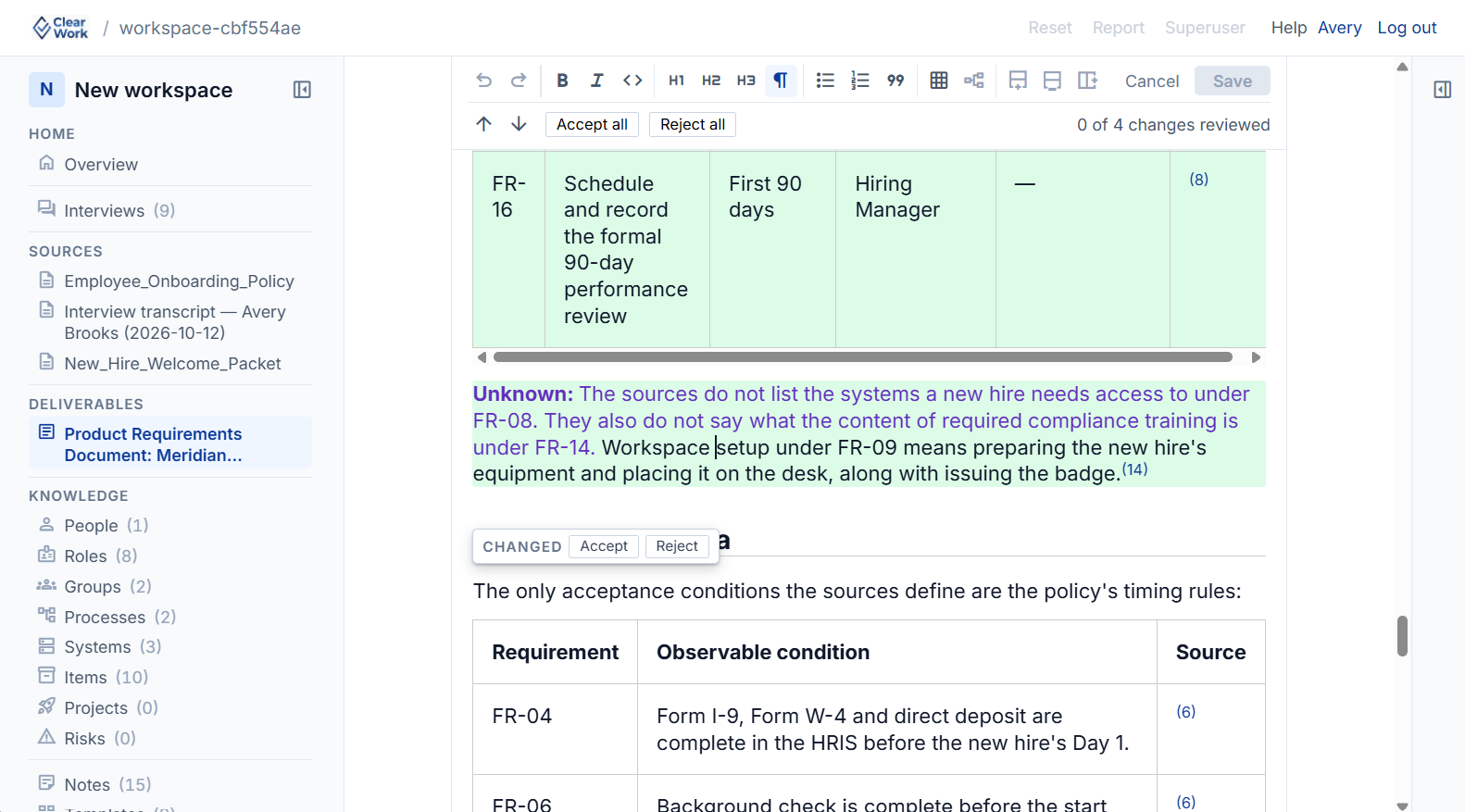
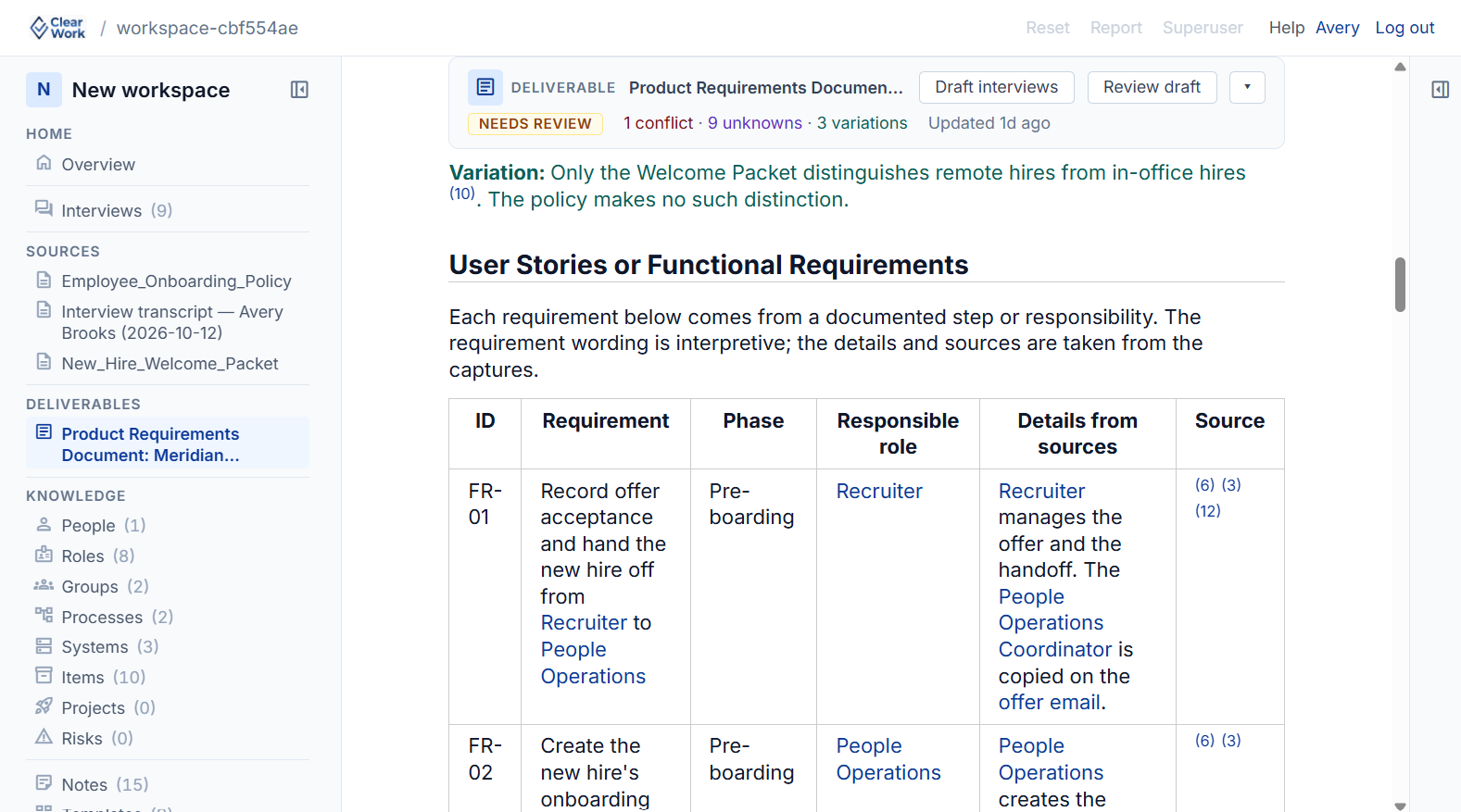
Editable by AI and by hand Exports to Visio & draw.io Every line traced to its source
Click any step and land on the interview it came from Source-linked
The thing nobody mentions

Every AI tool can draw a diagram. The question is whether it's true.

Point any of them at a document and you get a clean diagram of that document. But process documentation is almost always out of date — so you get a confident picture of a process nobody actually runs.

Diagram-only tools

Draw what you already wrote down

Paste a document, get a picture of that document. If the SOP is three system versions stale, if two teams do the step differently, if the real approval happens off-system — none of that is in the file, so none of it is in the diagram. It just looks finished.

ClearWork

Draw what actually happens

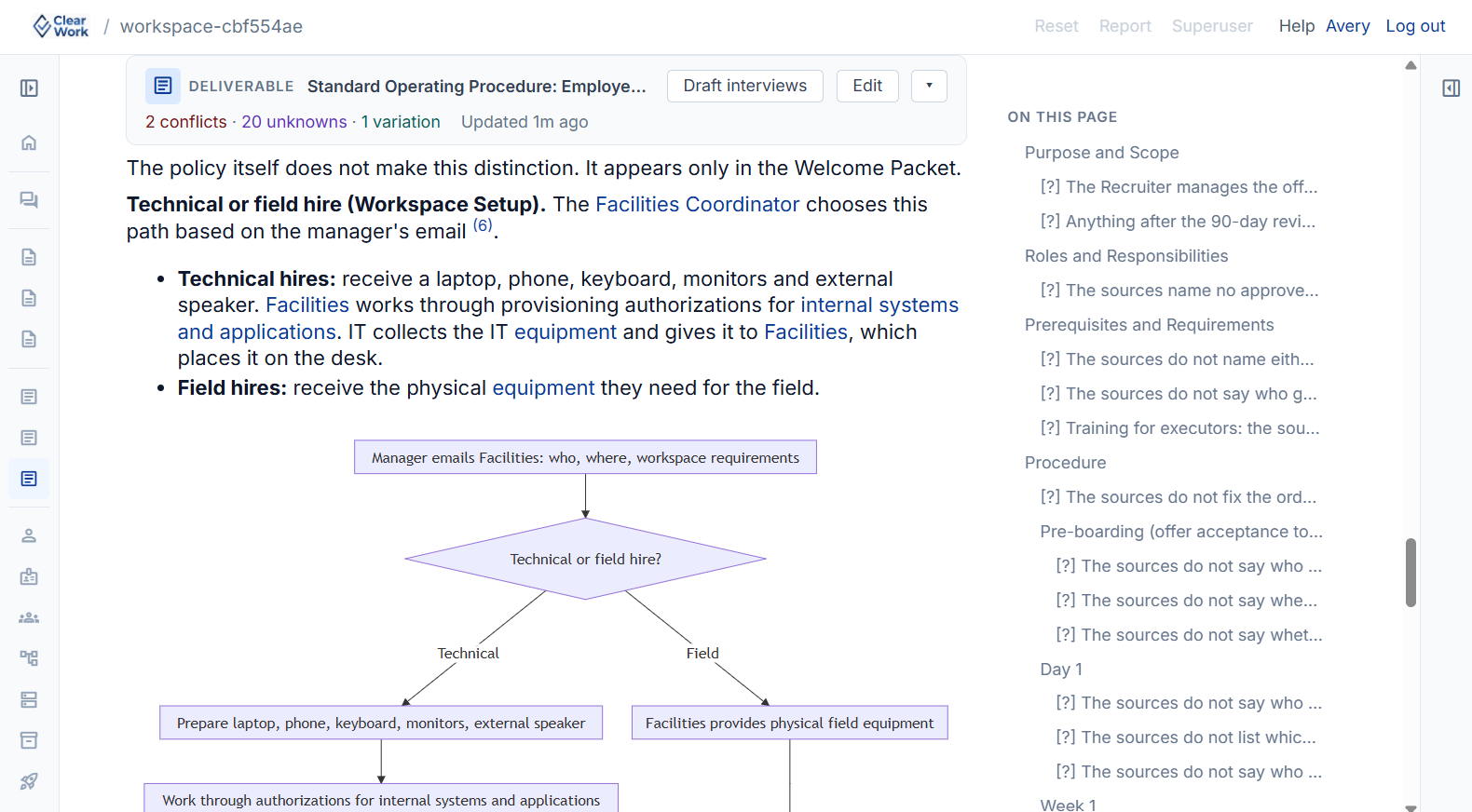
ClearWork reads the same documents, then interviews the people who run the work to close the gaps, surfaces where sources conflict, and has a human confirm it — before it draws a single box. The diagram reflects the real process, not the outdated write-up of it.
A fast, wrong diagram is still a wrong diagram.

How it gets there

Collect the knowledge, then draw the diagram.

The same three steps behind everything ClearWork produces — pointed here at one output: a diagram you can stand behind.

01

Collect

Read your existing documents, SOPs and process maps — then send short interviews to the people who actually do the work, closing the gaps the paperwork left. This is the part no diagramming tool does.

02

Distil

Reconcile what the documents say against what people describe. Variations, conflicts and unknowns are surfaced separately, and a person confirms the truth before anything becomes a diagram.

03

Draw

Generate the process map, flowchart or swimlane from the confirmed record — role-based lanes, decision points, handoffs and the exception paths that only surfaced in the interviews. Every box traces to its source.

The diagram isn't the product — the validated knowledge behind it is. That's why the same source can also generate requirements, SOPs and user stories, all consistent with the diagram, all tracing to the same confirmed record.

Yours to change

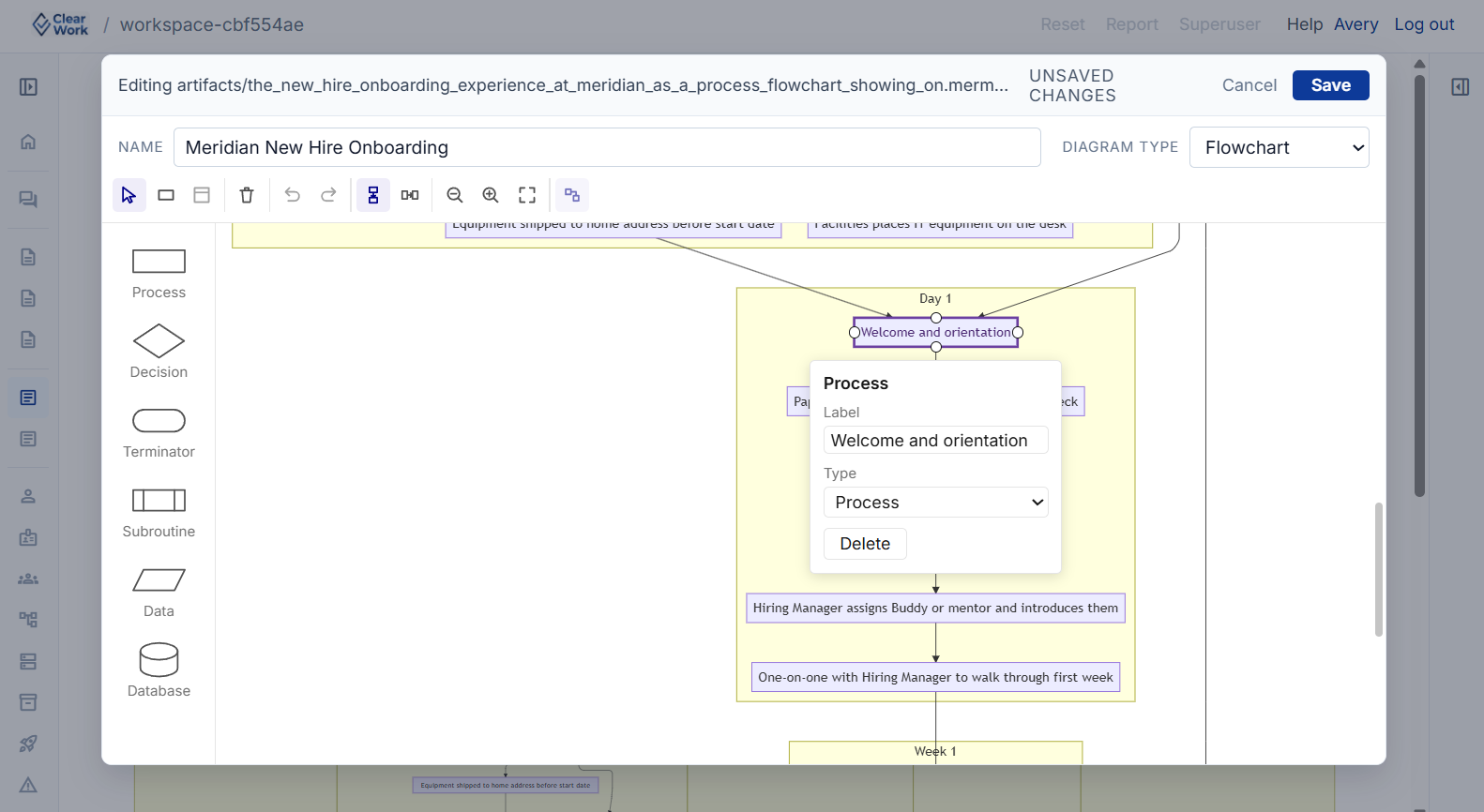
Editable both ways — by AI, and by hand.

Generate the first draft in seconds, then refine it however you work. Nothing is locked, and nothing is a dead end.

Edit with AI

Ask in plain language — "split the approval step by region," "add the exception path Sarah described," "collapse these three into a sub-process." The diagram updates, and the change stays tied to its source.

Edit by hand

Drag nodes, rename steps, reroute a branch, restyle a lane — with a mouse and keyboard, the way you'd expect. No prompt engineering required when you just want to move a box.
The difference

A diagram from any other tool is frozen the moment it's drawn. A ClearWork diagram stays connected to the knowledge behind it — when a source changes, the diagram flags itself for review instead of quietly going out of date.

Side by side

A diagramming tool vs ClearWork.

Both draw diagrams. Only one goes and gets the truth first — and keeps it true afterwards.

 
A diagramming tool
ClearWork
Where the content comes from
Only what you paste in. It can't know what the document left out.
Your documents plus interviews with the people who run the work.
When the source is wrong
You get a clean diagram of the wrong process, and it looks finished.
Conflicts and gaps are surfaced and resolved before the diagram is drawn.
Editing
By AI prompt or by hand.
By AI prompt or by hand — and edits stay linked to their source.
When something changes
Nothing. The diagram is a snapshot; someone notices months later.
Dependent diagrams flag for review with the cause linked.
Can you defend it?
No evidence behind a box — just a shape someone drew.
Click any step and see the interview, page or timestamp it came from.
What else you get
A diagram.
Requirements, SOPs and user stories from the same validated record.
Export
Image or the tool's own format.
Visio and draw.io for diagrams; Word and PDF for documents.
Beyond your own diagrams

Every process you map makes the next one faster.

The knowledge doesn't just sit in your diagram. It builds a shared, structured base of how real processes actually run — so you're rarely starting from a blank canvas.

Most diagramming tools treat every process as brand new. You describe an onboarding flow, an invoice approval, a month-end close from scratch — even though thousands of teams run versions of the same thing.

ClearWork builds a living knowledge base of real, validated processes. When you start a new map, it can draw on patterns already established rather than an empty page — a stronger first draft, grounded in how the work is genuinely done, that you then tailor to your own reality and confirm.

The more the base grows, the better every starting point gets. Your validated knowledge stays yours; what compounds is the shared understanding of how these processes tend to work.

Your documents & interviews

What you upload and confirm — private to you

Shared process knowledge

How these processes tend to run, across the community

A stronger first draft

Grounded in real patterns, then tailored and confirmed by you

Pricing

Priced the way you work.

Consulting firms bill by engagement, so we price by engagement. Internal teams run continuously, so we price by user.

Consulting & advisory
$500
per active project, per month
  • Unlimited users on the project
  • Pause billing between engagements
  • Complete data isolation per client
  • Interview participants always free
Roughly the cost of one billable hour a month. Most firms bake it into the engagement fee.
See full pricing
Internal teams
$50
per user, per month
  • Licence coordinators, not the whole org
  • Role-based access and approvals
  • Add and remove users monthly
  • Interview participants always free
You licence the handful of people running the work. Everyone who answers an interview is free.
See full pricing

14-day free trial with unlimited use. Cancel anytime. No card required.

Questions

What people ask before trying it.

Can I just generate a diagram from a document, fast?

Yes. Upload a document and you get an editable process diagram from it — that part works the way you'd expect from any AI diagram tool.

The difference is what happens next: ClearWork can also go and interview the people who run the process to close the gaps the document left, so the diagram reflects the real process rather than an out-of-date write-up. Use as much or as little of that as you want.

What diagram types can it create?

Process maps and flowcharts, swimlane diagrams by role, and current-state maps with decision points, handoffs and exception paths. Because the diagram is generated from a structured record rather than drawn by hand, each step keeps the context behind it.

Is it really editable by hand, or only by AI?

Both. Refine with plain-language AI prompts, or edit directly with a mouse and keyboard — drag nodes, rename steps, reroute branches. You're never stuck prompting when you just want to move a box.

Can I export to Visio or draw.io?

Yes. Diagrams export to Visio and draw.io; documents generated alongside them export to Word and PDF. To be straight with you, we don't have native two-way sync with delivery tools yet — it's a clean export, not a live integration.

How is this different from Lucidchart, Miro or Visio AI?

Those are excellent canvases, and they'll draw a diagram from text quickly. But they can only work with what you give them — they can't tell that your regional team does the step differently and go ask about it.

ClearWork collects the missing knowledge first, has a person confirm it, and only then draws — so you're editing a diagram that's already true, not polishing one built on an outdated document.

Is this process mining?

No. Mining tools read system logs to reconstruct what your systems recorded. ClearWork captures what the logs can't see — the judgment calls, exceptions and workarounds that live in people's heads — and turns that into the diagram. Analytics over system data isn't something we do today.

Try it on a real process

Draw a diagram you'd actually stake your name on.

Upload one process, generate the map, and see the difference between a fast diagram and a true one. Fourteen days, your own material, no card required.

Start free — 14 days Book a 30-minute call
Editable by AI and by hand · Exports to Visio & draw.io · Every line traced to its source